Engraved cutting boards
Names, dates, messages, and customer-supplied graphics.
Batch personalization for Windows and Mac
Import your order spreadsheet, map customer fields onto one reusable design, review the exceptions, and generate organized proofs and production-reference files locally.
Free to try · MakerMerge Pro is $39.99 once · No subscription · No ads · No Langsys account
Windows and Mac
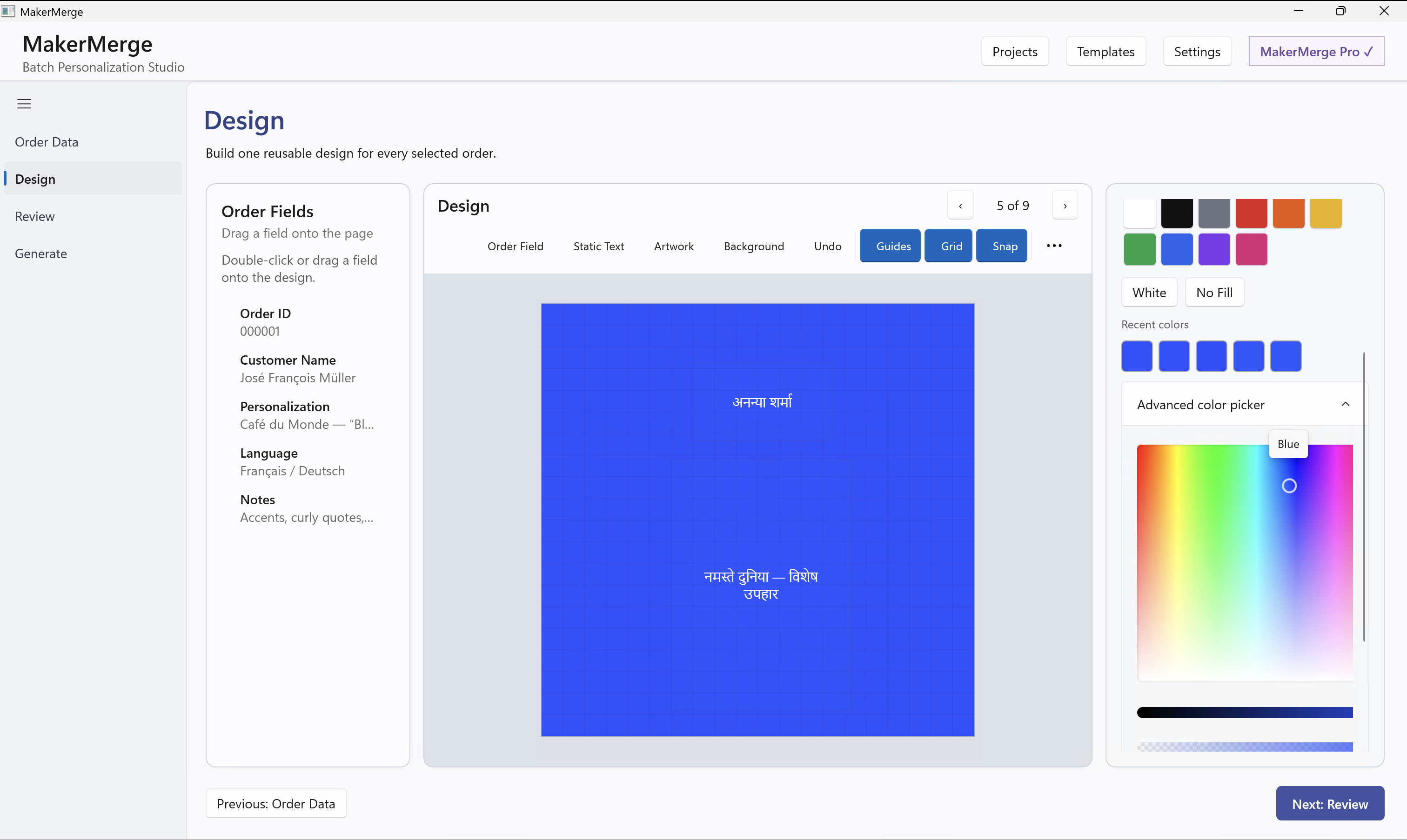
Order Data. Design. Review. Generate.
Repeated personalization
MakerMerge is most useful when multiple orders reuse the same underlying design.
With MakerMerge: import the orders, build once, review the exceptions, and generate the complete batch.
Names, dates, messages, and customer-supplied graphics.
Repeated layouts with different names, teams, or roles.
Recipients, categories, placements, and event details.
Guest names, table numbers, meal choices, and roles.
Names, identifiers, product variants, and short messages.
The same underlying design across many custom orders.
One repeatable path
Import Excel, CSV, TSV, delimited text, pasted spreadsheet data, or manual orders.
Drag customer text and images onto one reusable design.
Preview every included order and resolve missing information, text fit, fonts, duplicate identifiers, or unresolved images.
Create individualized production-reference files and the complete batch package.
It prepares reviewed PDF or PNG files for LightBurn, print software, fulfillment workflows, or another production application. It does not control machines or create native machine files.
The real application
Screens show the current Windows and Mac releases using fictional order data.
Review before generation
MakerMerge helps expose mechanical problems before files are generated.
Reviewed and traceable
The batch includes proofs, production-reference files, review documents, packing worksheets, and a manifest.
Example_Personalized_Orders_Batch-001_R001.zip
├── proofs/
├── production/
├── packets/
│   ├── batch-proof-book.pdf
│   ├── personalization-matrix.csv
│   ├── production-traveler.pdf
│   └── packing-worksheets.pdf
├── batch-manifest.json
└── REVIEW-BEFORE-PRODUCTION.txt
Generated by the release build
These files use fictional names, orders, products, and artwork.
Free to try, one-time Pro upgrade
Try the complete workflow free. Create two clean batches of up to 10 included orders each—without a watermark.
| Capability | MakerMerge | MakerMerge Pro |
|---|---|---|
| Local projects | Available, subject to device storage | Same |
| Import, Design, Review, and Preview | Included | Included |
| Reusable templates | One | Up to 100 |
| Clean batch generations | Two, up to 10 included orders each | Unlimited, subject to device and storage limits |
| Proofs, production-reference files, ZIP, and batch documents | Included in qualifying Free batches | Included |
| Source replacement and Versions | Included | Included |
| Full Backup and Restore | Not included | Included |
| Watermark | None | None |
MakerMerge Pro
$39.99 once USD
Founding price for the first 60 days after public release. Standard price: $49.99 once.
Up to 100 reusable templates, unlimited batch generations subject to device and storage limits, and Full Backup and Restore.
No subscription or recurring charge.
Your projects stay yours
MakerMerge does not require a Langsys account or use a Langsys cloud workspace. Projects remain on the computer where you create them unless you export a backup. Design, review, validation, and file generation happen locally.
Internet access may be required to download MakerMerge, purchase or restore MakerMerge Pro, or open external support links.
Create, review, and generate without signing into a Langsys service.
Customer data and active projects stay on your computer.
MakerMerge Pro includes backup and restore; projects do not automatically sync.
Purchases remain tied to the storefront account used to buy them and do not transfer between Apple and Microsoft.
Straight answers
Download MakerMerge for Windows or download MakerMerge on the Mac App Store.
The current desktop release is available for Windows and Mac.
MakerMerge creates an individualized PDF or PNG for each included order, together with proofs and batch documents that keep the work organized and traceable.
No. MakerMerge works before your production software. It prepares reviewed personalization files that you bring into LightBurn, print software, a fulfillment workflow, or another application you already use.
Yes. Place customer text and image fields on a reusable design, then preview how each included order will look.
No. MakerMerge creates production-reference PDF or PNG files. It does not control equipment or create native machine files.
Yes, when the export contains the structured order fields you need. MakerMerge imports data you choose; it does not connect to an Etsy account or retrieve orders automatically.
Yes. Design, review, validation, and file generation happen locally. Projects stay on the computer where you create them unless you export a backup.
No. MakerMerge is free to try, and MakerMerge Pro is a one-time purchase. No Langsys account is required.
Build the batch once